Fix it in the background while people keep working
Most fixes do not need the screen. Open a device's processes, services, logs, files, registry or terminal from its page while its user carries on.
14-day Business trial, no cardFree forever for 3 personal devices
What it does
Task manager, services, event logs, files, registry and terminal, without taking over the screen.
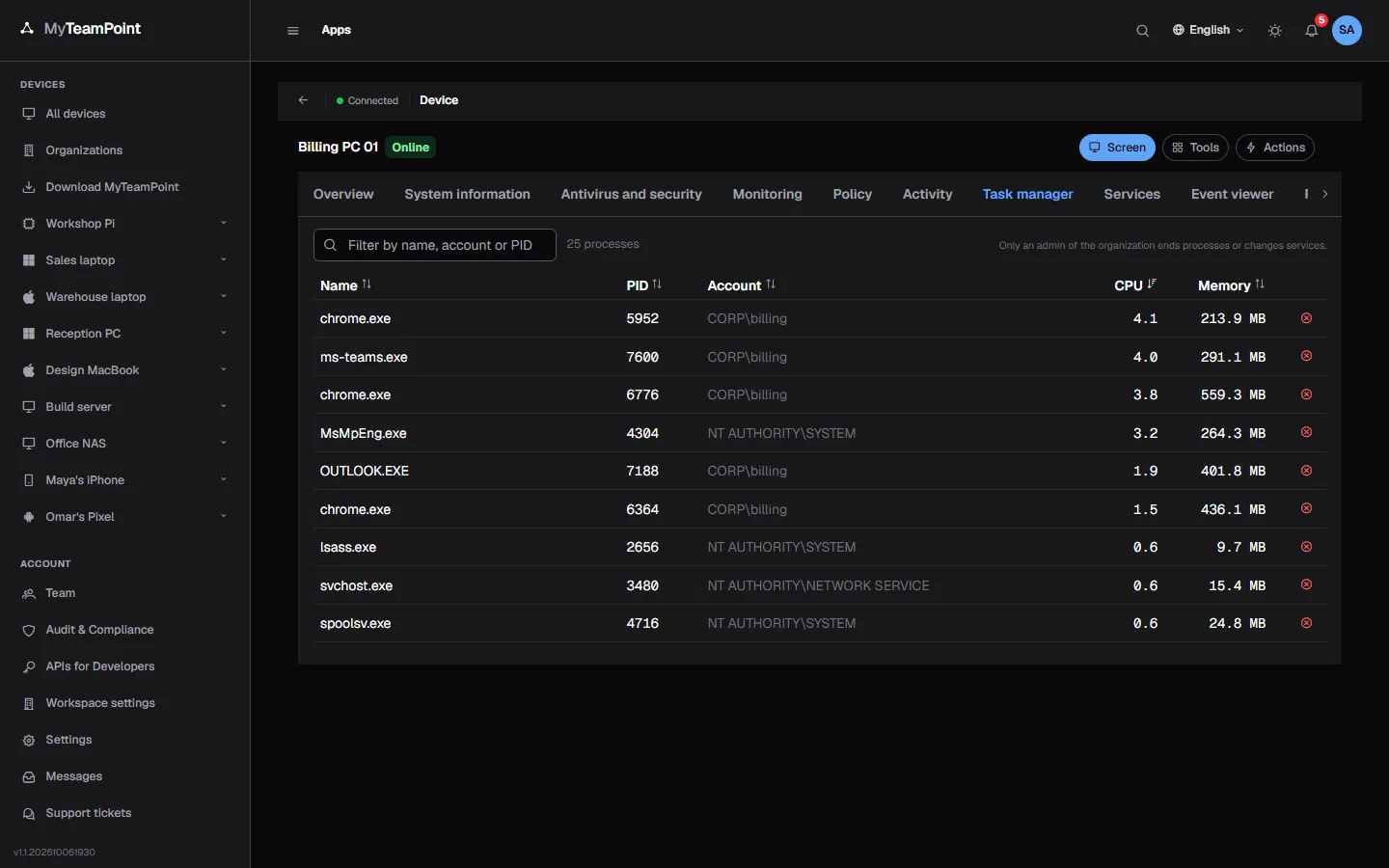
Task manager
Processes with their CPU and memory, refreshed every five seconds.
- End a process as a signed job
- The busiest named in CPU and memory alerts
- An alert when a watched process stops
Services
Every service with its state and start type.
- Start, stop or restart as a signed job
- An alert when a watched service stops
- Every change written to the audit log
Event viewer
Read System errors and Security events on Windows, and the journal on Linux.
- Read on demand, never stored
- Event log rules can raise alerts
- Crashes and blue screens reported
Files
Browse a device's drives, upload, download, rename and delete.
- Upload and download in the browser
- Rename, move and new folders
- Each open confirmed on managed devices
Registry
Read HKLM and HKU keys live on Windows devices.
- Read only, by design
- Secret-looking values hidden
- For technicians and up
Terminal
PowerShell on Windows and a shell on Linux and Mac, in the browser.
- As the system or as the signed-in user
- Opened with a signed request on managed devices
- On a personal PC, switched on at the PC by its owner
Keep exploring
Try it on your own devices
Start a 14-day Business trial with 2 technician licenses and no card, or stay on Free for up to 3 personal devices with the whole product.