Know what every device is and what changed
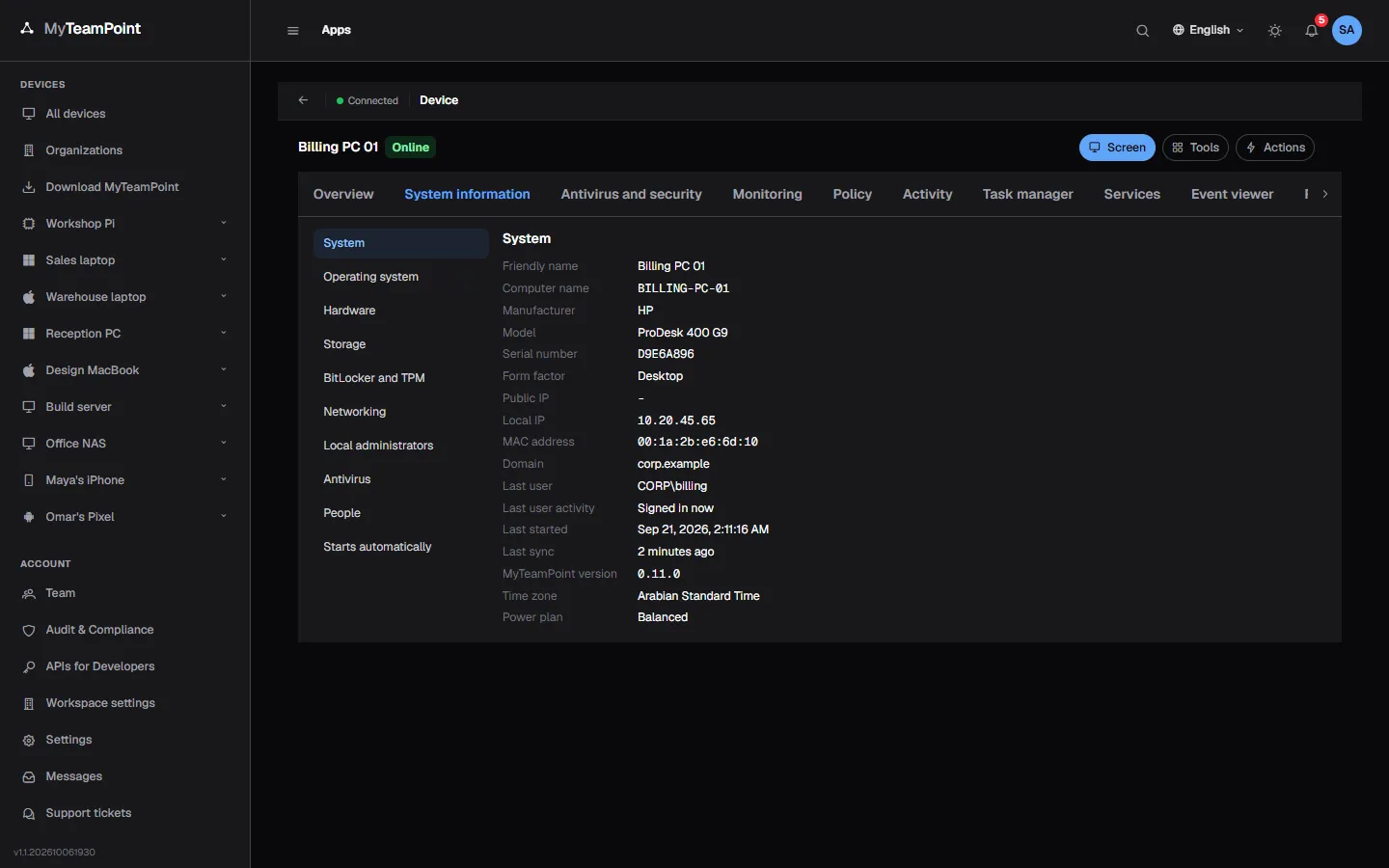
The agent reports each device's hardware, system, software and security state, and sends only what changed. You see it per device and across the organization.
14-day Business trial, no cardFree forever for 3 personal devices
What it does
Hardware, software, security state and what changed, for every device.
Hardware and system
Model, serial, processor, memory, disks and the system build, read by the agent.
- Firmware mode, Secure Boot and TPM
- Network adapters with DHCP and DNS
- The last signed-in user
Software everywhere
Every installed program with its version, per device and across the organization.
- Find which devices run a version
- Windows programs, dpkg and rpm packages on Linux
- Pending updates listed beside them
What changed
An activity feed of inventory changes and actions, kept for 180 days.
- Programs installed and removed
- Agent updates and sign-ins
- Who did what, from the audit trail
Security state
See how each device is protected at a glance.
- Antivirus, firewall and BitLocker
- Secure Boot, the TPM and the system's support
- Local administrator accounts
A security score
Every managed device gets a score out of 100 from what it already reports, and each organization its average.
- Antivirus, updates, encryption and seven more checks
- Each failing check with its fix in one click
- Exceptions with a reason, for up to a year
Microsoft Defender
Defender's state, scans, definitions and threats on Windows, and its settings kept by policy.
- Quick and full scans and new definitions as jobs
- A threat alert within a minute, with its history
- Never turned off; Tamper Protection respected
Antivirus consoles
Read a client's Bitdefender GravityZone or Sophos Central with read-only credentials made in their own console.
- Endpoints matched to your devices, with their health
- Detections become threats, alerts and the score
- Read only: no scan, isolation or change
Microsoft 365
Connect a client's Microsoft 365 with one approval by their administrator, read only, and see its security score.
- Users, licenses, roles and MFA, every 6 hours
- Entra devices matched to your computers
- Licensed staff become contacts and count in per user contracts
Live stats and history
CPU, memory and disk live on every card, with history by the hour and the day.
- Charts per device
- Thresholds raise alerts
- History kept according to the plan
A light agent
The agent's idle cost is measured by a test before every release.
- Under 0.5% of a CPU core at idle
- Under 60 MB of memory
- Under 6 MB a day on the network
An operations dashboard
Devices, alerts, missing updates, failing checks, the help desk and automation for your workspace or one organization, on one screen.
- The computers with the most alerts
- Devices added per month
- A wall display that refreshes itself
Reports and exports
Ready reports or your own over devices, software, updates, alerts, sessions, jobs and tickets.
- CSV, Excel and PDF files
- Daily, weekly or monthly, e-mailed as a sign-in link
- Everyone sees only the organizations they may see
Keep exploring
- Device management
Every device in one list, organized by organization and group.
Learn more - Patch management
Scan and install Windows and Linux updates on your schedule.
Learn more - Background tools
Task manager, services, event logs, files, registry and terminal, without taking over the screen.
Learn more
Try it on your own devices
Start a 14-day Business trial with 2 technician licenses and no card, or stay on Free for up to 3 personal devices with the whole product.