The same software everywhere, from a source you trust
Install and remove software on one device or a whole organization. Windows packages come from our own caching repository, and your own installers are checked for a valid signature.
Free forever for 1 personal device
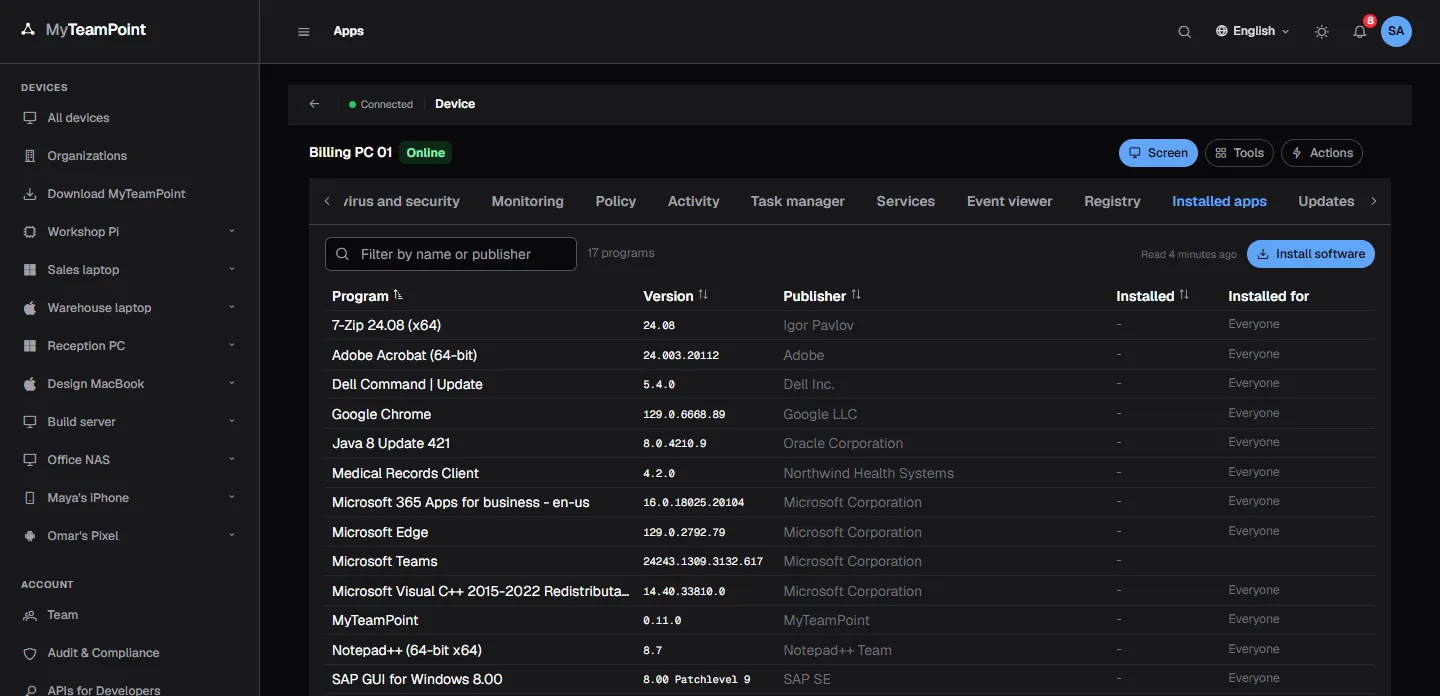
What it does
Install software from our own trusted catalog or your own installers.
A catalog you can trust
Windows packages come from our own caching Chocolatey repository, not the public one.
- Chocolatey itself installed from our pinned copy
- Devices reach only our server for packages
- apt and dnf on Linux desktops
Your own installers
Upload an MSI or EXE once and push it to any device.
- Authenticode signature checked on upload
- The publisher shown before you push
- Checked again by hash on the device
Required software
Name the software every device must have; it is installed where it is missing.
- Checked on every device
- Runs at enrollment for new devices
- Install or remove from the device page
File push
Copy a file to a folder on Windows or Linux devices, and run it if you want.
- Fetched by the device and checked by hash
- On Windows, only administrators can change it
- On a schedule or once now
How it works
- 1
Pick an app from the catalog, or upload your own installer.
- 2
Choose the devices or groups to install it on.
- 3
See which devices have it, and which still need it.
Installers are checked against their signature or hash before a device runs them.
Keep exploring
- Patch management
Scan and install Windows and Linux updates on your schedule.
Learn more - Scripting and jobs
Run scripts and actions on one device or thousands, signed and approved.
Learn more - Endpoint management and inventory
Hardware, software, security state and what changed, for every device.
Learn more
Try it on your own devices
Create a business for your team and buy a license for each technician, or stay on Free for up to 1 personal device with the whole product.