Help requests that arrive with the facts
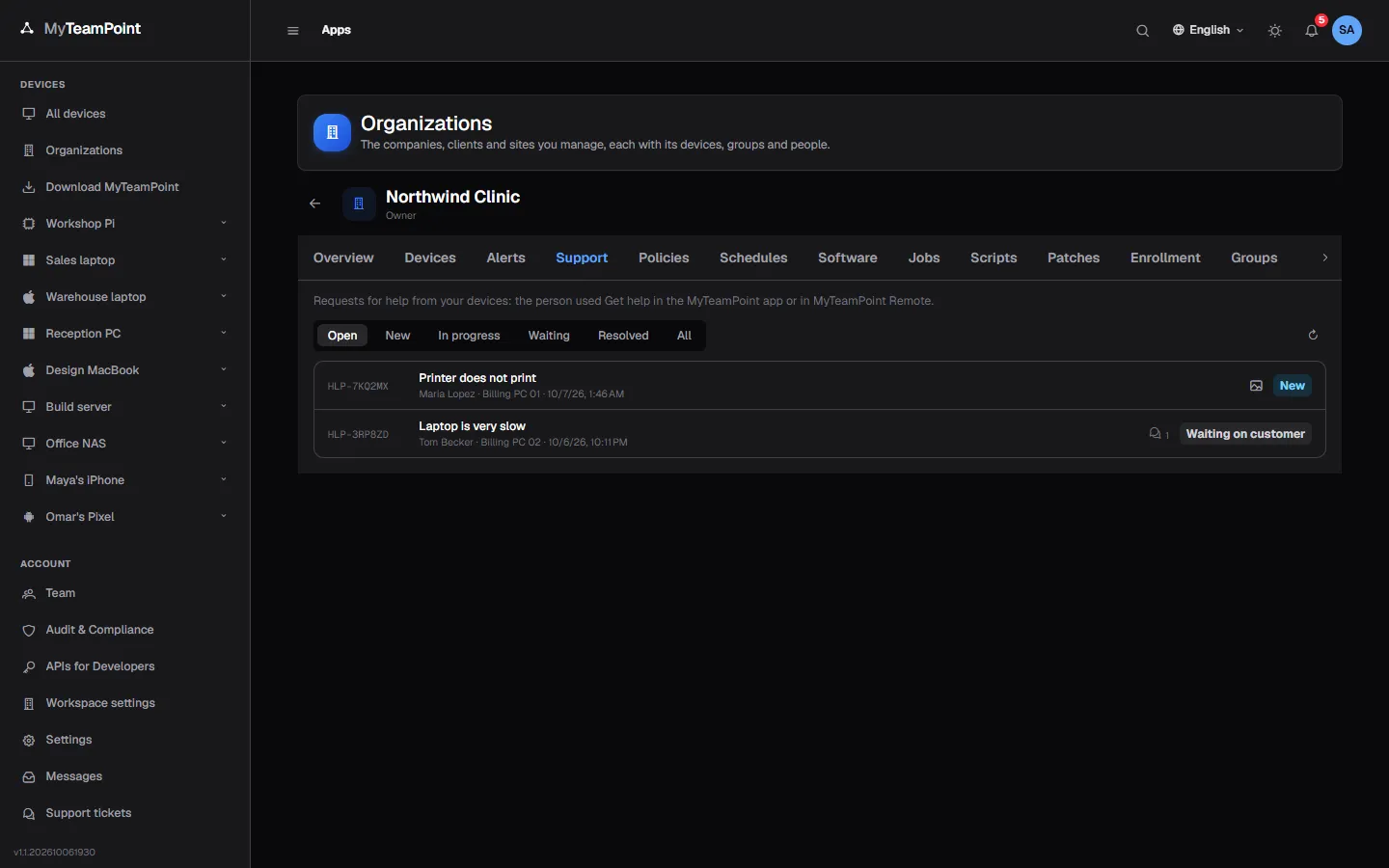
People ask for help from the app on their PC or from MyTeamPoint Remote. Your team gets a ticket with the device's facts and can open its screen from there.
14-day Business trial, no cardFree forever for 3 personal devices
What it does
People ask for help from their PC; you get a ticket with the facts.
Ask from the PC
A subject, a description and how to reach the person, sent from the PC they are on.
- From the tray icon or the app window
- From MyTeamPoint Remote too
- Switched on or off by policy
Screenshots with consent
A screenshot is taken only when the person presses for it, and they see it before it is sent.
- Removed with one click
- Only the session it shows
- Turned off by policy if you prefer
Tickets per organization
Each request is a ticket of the organization's help desk, with the device's facts attached.
- A reference like HLP-7K2M9Q
- Statuses you can rename, from New to Closed
- On the organization's Help desk tab and the device page
Reply and fix
Answer the person and open the device's screen from the ticket.
- Replies emailed and shown in the app
- Your organization's name and support text
- Kept on our servers
Try it on your own devices
Start a 14-day Business trial with 2 technician licenses and no card, or stay on Free for up to 3 personal devices with the whole product.