The PC's own screen, in your browser
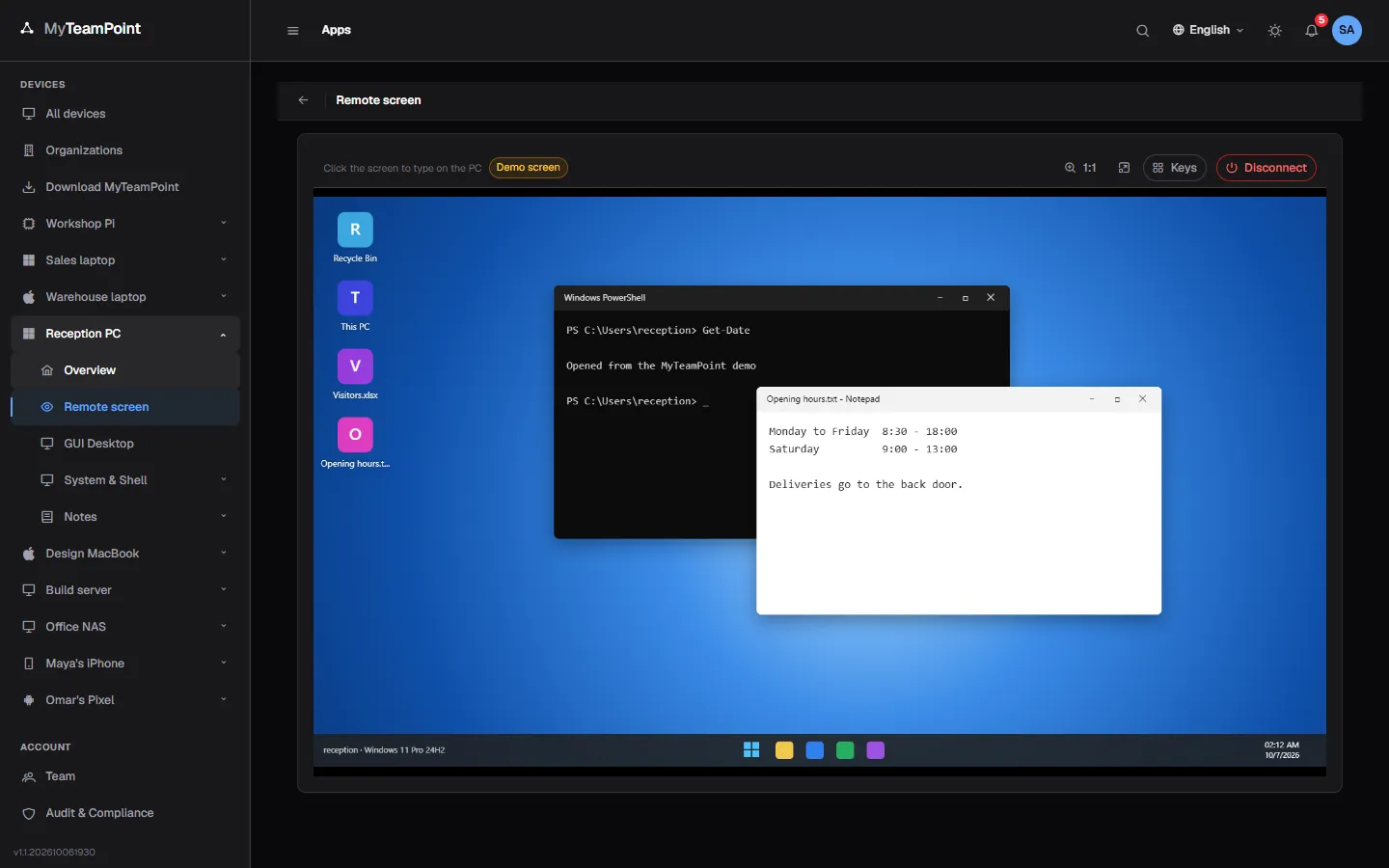
Press Open and the PC's screen appears as its user left it, lock screen included, with no Windows password to type. It runs on our own protocol, sealed with a key made for each session.
14-day Business trial, no cardFree forever for 3 personal devices
What it does
See and control a PC's own screen from any browser.
Our own protocol
Every frame is sealed with AES-256-GCM using a key made for that session.
- The key reaches the PC sealed for it alone
- Our relay passes bytes it cannot read
- Nothing on the PC listens for connections
Direct when possible
The browser and the PC connect peer to peer when the networks allow it, through our relay otherwise.
- The quality bar shows Direct or Relayed
- Rejoins by itself after a short drop
- Works behind routers and company firewalls
No password to type
Open the console as its user left it, lock screen and sign-in screen included.
- An optional access PIN set at the PC
- An optional emailed code per session
- Every session audited: who, when and how long
Every monitor, the clipboard too
Switch between monitors by name and copy text when your access allows it.
- Ctrl+Alt+M moves to the next monitor
- Text clipboard up to 256 KB
- Fit or 1:1, and full screen
The person at the PC knows
A bar on every monitor shows that a session is running and who it is, with Stop.
- Shown from the first frame to the end
- No setting can hide it
- A shared PC asks its user first, or takes its access PIN
From any device
Open a session from a desktop browser, a tablet or a phone.
- Touch trackpad with tap, drag and pinch zoom
- A phone toolbar with the keys you need
- Linux desktops too, on Wayland and X11
Chat, sound and files
Chat with the person at the PC, hear its sound when you press Sound, and pass files both ways inside the session.
- The chat is saved on the ticket when it ends
- Sound in Chrome and Edge, off until you press it
- Files up to 1 GB land in Downloads\MyTeamPoint
Keep exploring
Try it on your own devices
Start a 14-day Business trial with 2 technician licenses and no card, or stay on Free for up to 3 personal devices with the whole product.